AI Chord Progression Generator
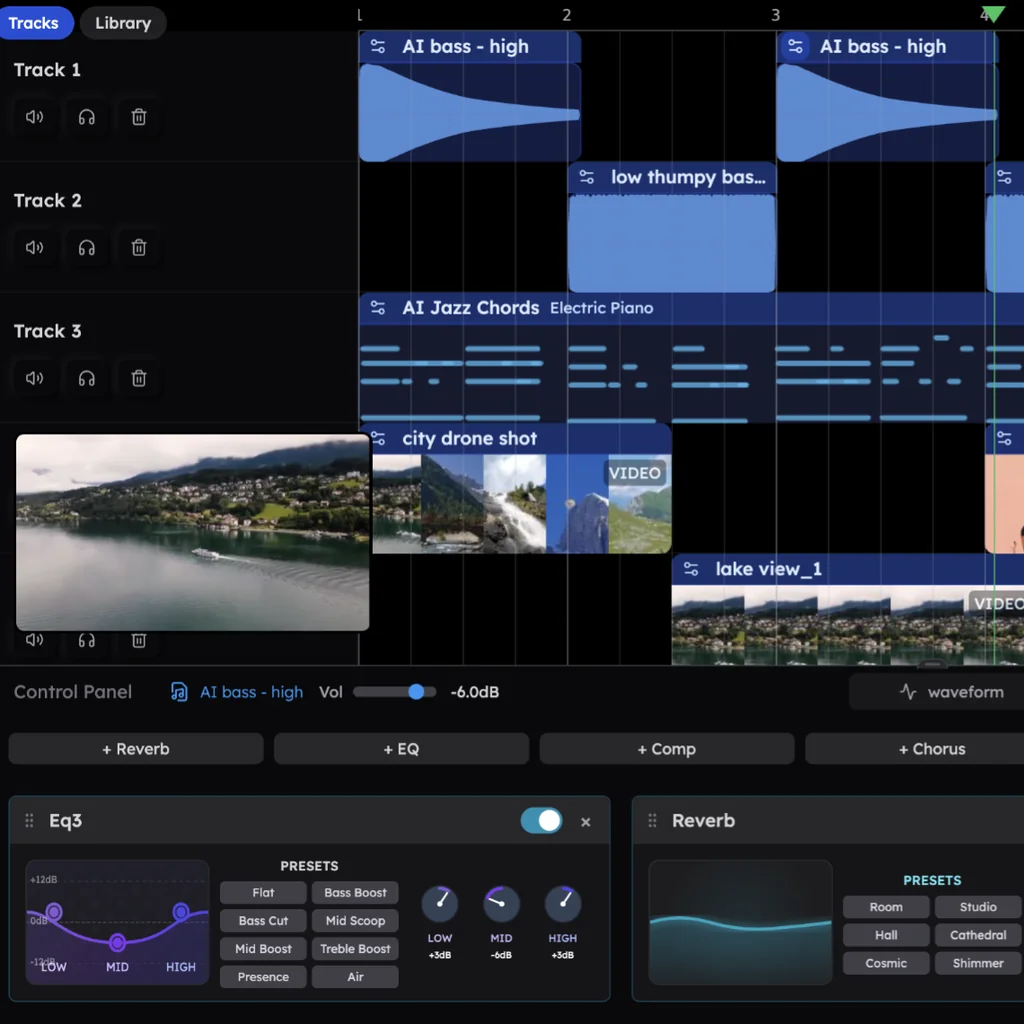
Veena is a free AI chord progression generator inside a full AI DAW. Describe a mood, a genre or exact roman numerals, and CoProducer writes the progression as voiced MIDI chords on a real instrument, then builds the bass, melody and drums on those exact chords whenever you're ready.
"Chord progression" is the single most common phrase in first requests to CoProducer, in Veena's own data. People start songs with chords more than with anything else, so the chords Veena writes are never a dead end. They're the first track of a song.
Eight chord progressions to start from
Roman numerals name each chord by its place in the key, so every progression below works in any key. Each is one sentence away in Veena: paste the numerals or the chord names, name the instrument, and CoProducer voices it.
| Mood or genre | Roman numerals | In one key | Why it works |
|---|---|---|---|
| Bright pop | I–V–vi–IV | C–G–Am–F in C major | Home, lift, the minor sting, then IV pulls you back to the start |
| Emotional ballad | vi–IV–I–V | Am–F–C–G in C major | The same four chords starting on the minor chord: it sounds like longing |
| Lo-fi hip hop | Imaj7–vi7–ii7–V7 | Dmaj7–Bm7–Em7–A7 in D major | Sevenths blur the edges, and the V7 loops you back into the Imaj7 |
| Neo-soul and R&B | ii9–V13–Imaj9–vi9 | Cm9–F13–B♭maj9–Gm9 in B♭ major | Rich extensions over the ii–V pull, so it still resolves |
| Dark trap | i–VI–iv–V | Cm–A♭–Fm–G in C minor | The major V, with its B natural, gives every loop a harmonic-minor edge |
| Deep house | i9–iv9 | Fm9–B♭m9 in F minor | Two minor ninths trading places: room for the bass and a groove that never settles |
| Cinematic, epic | i–VI–III–VII | Dm–B♭–F–C in D minor | Minor home, then three major chords climbing: the trailer build |
| Rock anthem | I–♭VII–IV | D–C–G in D major | The flat seven is borrowed from the Mixolydian mode: bright, with a swagger |
Ask for any of them by name, in any key:
Write the vi–IV–I–V progression in A♭ major at 72 BPM on Acoustic Grand Piano, whole-bar chords, open voicings, 8 bars. Then add a String Ensemble pad that doubles the top notes.
For the theory behind the table, start with what a chord progression is, then go deeper on lo-fi chord progressions and harmony beyond basic chords.
How the chord progression generator works
- Describe the feel, or the exact chords. "Sad but hopeful." "A jazzy ii–V–I in F." "The chords from my verse, but darker." CoProducer takes moods, genres, roman numerals and chord names, in any language.
- Hear three options. Every new chord part arrives as 3 options in one carousel. Hover to hear each one on its instrument, and press Enter to keep one.
- Get voicings, not a list. The chords land as MIDI notes on a track, voiced for the sound you chose: Electric Piano, Acoustic Grand Piano, String Ensemble, Warm Pad, any of Veena's 61 instrument presets, or your own VST or AU instrument through the Veena Bridge.
- Build on top. Ask for a melody or a bassline and CoProducer reads the chord notes actually placed on your timeline, voicings and changes included. Once your project has clips, it keeps your key unless you ask.
- Take it anywhere. Download MIDI file on the clip, or export the whole song as 24-bit WAV, 320 kbps MP3 or stems.
Chord progression generators compared (September 2026)
Rival prices and limits are from their own pages, 23 September 2026.
| Veena | ChordChord | Hookpad | LANDR Composer | |
|---|---|---|---|---|
| Price to start | Free, with a daily CoProducer allowance | Pro: $9.99 for the first 30 days, then $27 a month | Free sketchpad; Standard $7.99 a month; the Aria AI add-on $14.99 a month | Included with LANDR Studio, from $8.25 a month |
| What one request gives you | Voiced MIDI chords on a real instrument, inside a song | Chords with genre-matched drums and melody | Chord suggestions in a theory-guided sketch | MIDI chords, basslines, melodies and arpeggios |
| Where it lives | A full DAW in your browser | A browser app you export out of | Hooktheory's songwriting app | A plugin inside your DAW, on macOS or Windows |
| Export | MIDI, WAV, MP3 and stems, no cap, every plan | MIDI, WAV stems, MP3 and PDF; exporting pauses if you cancel | MIDI and MP3 on Standard | Drag MIDI into your DAW |
ChordChord rents you your own chords. Pro costs $27 a month after a $9.99 first month, it writes in "3/4 and 4/4 as of today", and if you cancel, "exporting and full AI generation pause until you reactivate" (ChordChord's pricing page, September 2026).
Hookpad sells the export and the AI separately. Sketching is free, but MIDI and MP3 export need Standard at $7.99 a month or $199 for life, and Aria, its AI for chords and melodies, is an add-on at $14.99 a month (Hookpad's page, September 2026).
LANDR Composer needs a DAW to live in. It is a plugin, VST3, AU or AAX on macOS 10.14 or later and VST3 or AAX on 64-bit Windows 10 or later, and it comes with a LANDR Studio subscription "starting at just USD $8.25/mo" (LANDR's Composer page, September 2026).
AutoChords hands you a chart. You "pick a progression type" and "a key that you feel comfortable playing in", and it lists the chords (autochords.com, September 2026). A chart is an idea; a track is a song.
Veena is the chord progression generator that plays your chords on real instruments, builds the song on them and lets every note leave as MIDI, free. Twelve tools go head to head in our best AI chord generator ranking.
Change one chord, not the whole progression
A chord chart website gives you four names. An AI chord generator inside a DAW gives you four chords you can reach inside. Select a chord in the piano roll and drag a note to change the voicing, or highlight a bar and ask: "make bar 3 a first inversion", "turn the last chord into a sus4 before it resolves", "extend it to 16 bars with a turnaround in bar 16". Swap the sound and keep every note with "play these on String Ensemble".
Veena isn't stuck in 4/4 either. It writes in 4/4, 3/4, 6/8, 2/4, 5/4, 7/8, 9/8 and 12/8, so a 6/8 ballad or a 7/8 groove is a request away.
Already have a melody or a recording? Drop it in and ask for chords underneath: CoProducer measures the key and chords of your audio first. Then hand the progression to the melody generator for a hook, the bassline generator for the low end, or the MIDI generator for arps and pads. The walkthrough for all of it lives in chords in Veena.
Try this in Veena
Write an 8-bar chord progression in D major at 84 BPM for a lo-fi hip hop beat: Dmaj7, Bm7, Em7, A7, two bars each, voiced on Electric Piano, lazy and a little behind the beat. Then add a Round Bass on the roots and swung drums on the Jazz kit.
Frequently asked questions
Is Veena's chord progression generator free?
Yes. Veena is an AI DAW with a personal music producer built in. Describe the song you want and CoProducer builds it with you — beats, chords, melody, arrangement and mix — as real tracks you can edit, mix and export. Free, in your browser. Chords play on any of 61 instrument presets and export as MIDI, WAV or MP3 with no cap; Veena Pro, at $20 a month, removes the daily request cap.
Can the AI chord generator write seventh and extended chords?
Yes. Ask Veena's CoProducer for exactly the colour you want: sevenths, ninths, elevenths, thirteenths, sus2 and sus4, add9, slash chords and inversions. Name them, like "Cm9, F13, B♭maj9", or describe them, like "jazzy, lots of tension, resolving at the end of bar 8". The chords land voiced for the instrument you choose, as MIDI you can reshape.
Can I change just one chord in the progression?
Yes. Select the chord in Veena's piano roll and drag its notes, or highlight that bar and ask CoProducer, "make bar 3 a sus4 that resolves", and only that bar changes. You can re-voice, extend or humanize a single region, swap the instrument while keeping every note, and one undo reverses any CoProducer change.
Will a melody and bassline fit my chords?
Yes. When Veena's CoProducer writes a part that has to fit your harmony, it waits until the chords are on the timeline and reads the notes actually placed there, including the voicings and the exact beat each chord changes, rather than a chord label. It keeps your key once clips exist, and every new part comes as three options.
Can I export the chord progression as MIDI?
Yes. Choose Download MIDI file on the chord clip, or export every MIDI track in your Veena project as one .mid, and drag it into FL Studio, Ableton Live, Logic Pro or any other DAW. You can also export the chords, or the whole song, as 24-bit WAV, 320 kbps MP3 or stems, as often as you like.
Can Veena find chords for a melody or recording I already have?
Yes. Record or drop in your melody, demo or voice memo, and ask CoProducer to write chords under it. Veena measures the key and chords of the audio, turns a hummed line into MIDI if you want it, and writes a progression that follows your tune. Keep the chords it offers, or pick one of the other two options.
Meet your personal music producer
Free, in your browser. Describe the song you want and CoProducer builds it with you.
Make music free