Suno Download Limits Explained (Free, Pro, Premier)
Suno download limits since 3 Sep 2026: Free up to 7 lifetime, Pro 20 a month, Premier 60, old songs included. What counts, what's exempt, and a free fix.
Suno's download limit depends on your plan: since 3 September 2026, Free gets up to 7 lifetime trial downloads, Pro 20 a month and Premier 60 a month, including songs made before that date (Suno's help centre, September 2026). In Veena, where your own AI music producer builds songs with you in a free DAW, no export is ever capped.
Veena is an AI DAW with a personal music producer built in. Describe the song you want and CoProducer builds it with you — beats, chords, melody, arrangement and mix — as real tracks you can edit, mix and export. Free, in your browser. Export the mix or every track, as often as you like, with no watermark, and the music is yours.
Below are Suno's download rules, taken from its own pricing page, help centre, blog and Terms of Service, all read on 23 September 2026. Each rule has its own deep-dive, linked at the end.
Suno download limits by plan (September 2026)
| Plan | Price (Suno's pricing page, September 2026) | Song downloads | When they come back |
|---|---|---|---|
| Free | $0 | Up to 7 lifetime trial downloads if you joined before 3 Sep 2026; accounts opened since then "may occasionally receive trial downloads" | Never: trial downloads don't top up |
| Pro | $10 a month, or $96 a year | 20 a month | Your billing date; unused downloads don't roll over |
| Premier | $30 a month, or $288 a year | 60 a month | Your billing date; unused downloads don't roll over |
| Premier, inside Suno Studio | Included in Premier | No limit on Studio exports | Not metered |
Every plan can still stream and share its library on Suno. The cap is on getting files off the platform: in Suno's words, "These limits only apply to downloading files off the platform."
Suno says the limits exist because "limiting downloads will make it harder for bad actors to mass-export music." The songwriter who wants forty of their own demos on a hard drive hits exactly the same wall.
The cap reaches back to songs you made before 3 September
Suno announced the limits on 10 August and switched them on on 3 September. The announcement is blunt: "Limits apply to all downloads starting September 3, including songs created before that date." A help article edited on 9 September repeats it for the whole library, and adds that on Pro and Premier, "downloading an older song will count toward your current monthly download allowance unless you've already downloaded that song before."
Run the numbers on a big back catalogue. A Pro subscriber with 200 songs they never downloaded needs ten full months of the allowance, spending none of it on new work, or has to buy extra downloads, to take them all home.
Suno's own FAQ carries the question "I paid for an annual plan that included unlimited downloads. What are my options?" The published answer: "If you no longer wish to be a subscriber, you can cancel your plan by heading to suno.com/account." The full story of the locked back catalogue is in Suno's paywall on old songs.
What counts as one Suno download
Suno's help centre spells the counting out:
- One song is one download, "regardless of how many files or formats you download for that song."
- Re-downloading is free. "Downloading the same song again does not use another download."
- Stems ride along. "Downloading stems is included with that song's download and does not count separately."
- Failed or interrupted downloads don't count against the limit.
- Every generation makes two songs. Suno's v6 FAQ says "Each time you generate, you make two songs." Keep both takes and that is two downloads.
- Formats are tiered. WAV is for Pro and Premier, on suno.com only ("mobile downloads default to MP3"). MIDI is only for songs created in Suno Studio, for Premier subscribers.
- More downloads are for sale. Once you hit the limit you can buy extra downloads, and purchased downloads roll over.
What's exempt: Suno Studio exports on Premier
One route has no meter. Suno's announcement says: "For Premier subscribers who use Suno Studio … there are no download limits." Studio is Premier-only, at $30 a month or $24 a month billed yearly.
That uncapped room has hard walls. Suno's own Studio help article says "Suno Studio is not compatible with VST or Audio Units plugins," that "mobile devices are not supported," and that "some users may experience timing issues, where new generations fall slightly in front of or behind the beat." What Premier buys, and what it doesn't, is in Suno unlimited downloads.
Why the limit matters more than the number
The cap decides more than how many files you get.
- Commercial rights follow the download. Suno's Terms, effective 3 September 2026, say: "You may not commercially exploit Output that has not been downloaded by you through an approved channel under these Terms of Service." Free trial downloads never carry commercial rights. The details: Suno commercial use rules.
- Free-tier songs aren't yours. Suno's help centre: "we retain ownership of the songs you generate" on the free tier. Plan by plan: who owns Suno songs.
- Cancelling drops you to the free cap. "If you cancel your subscription … downloads follow free tier limits." Before you go: how to cancel a Suno subscription.
- Your files can be marked. The same Terms reserve the right "to append a fingerprint, watermark, or metadata indicating the applicable service tier of an Output and whether such Output was a permitted Download."
Veena vs Suno: getting your music out (September 2026)
Suno facts come from Suno's pricing page, help centre and Terms of Service, read on 23 September 2026.
| Veena | Suno | |
|---|---|---|
| Price to start | Free, with a daily CoProducer allowance | Free, 50 credits a day |
| Downloads and exports | No cap on any plan | Free: up to 7 lifetime trial downloads. Pro: 20 a month. Premier: 60 a month, plus uncapped Studio exports |
| Songs you made last year | Export any project, any time | Each one you never downloaded spends a capped download |
| Formats | WAV 24-bit/48 kHz, MP3 320 kbps, MIDI, MP4 for video projects | MP3 on Free; WAV on Pro and Premier; MIDI only from Studio |
| Every track as its own file | Every plan: one file per track, zipped | Stems on Pro and Premier only |
| The studio | Free: the whole DAW, with your own VST and AU plugins through Veena Bridge | Suno Studio: Premier only, $30 a month, no VST or AU |
| Who owns a free-plan song | You do | Suno does |
| Watermark | None on your exports | Terms reserve the right to add one |
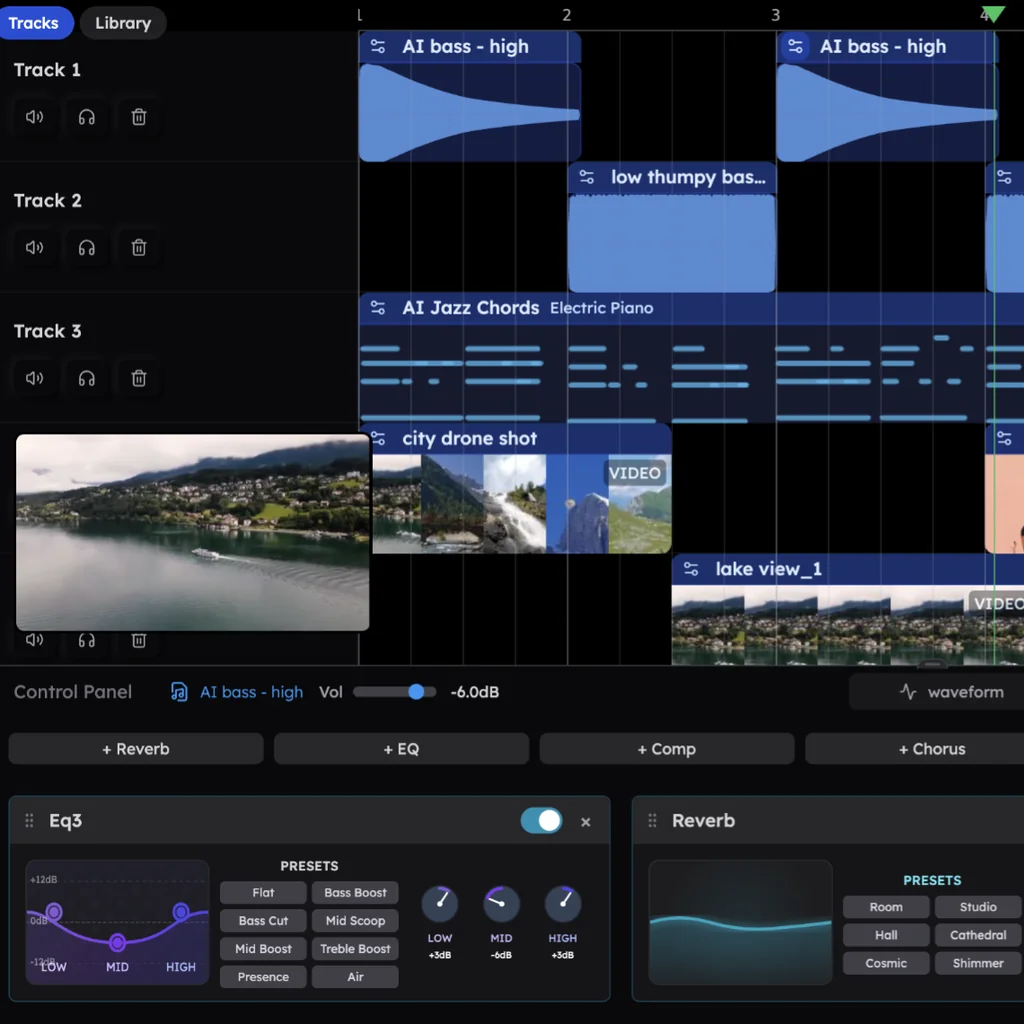
Move to Veena and keep producing
Leave Suno, keep producing in Veena. The whole move takes an evening.
- Take your catalogue first. While your Suno plan is still active, download every song you want to keep. A song downloaded once can be downloaded again for free, and its stems come with it.
- Open daw.veena.studio and sign in with Google. Nothing to install, no graphics card: it runs in Chrome and other modern browsers on Mac, Windows, Linux and Chromebook.
- Start from a sentence. Tell CoProducer the song: genre, tempo, key, parts, shape. It plans the sections and builds drums, bass, chords and melody as real tracks, offering 3 options for every new part.
- Or bring your own recordings. Drag in voice memos, demos, loops or old bounces (WAV, MP3, M4A, FLAC, AIFF and more). Right-click a clip and choose Separate into Stems for vocals, drums, bass and other on their own tracks, then ask CoProducer to build new parts around them.
- Export with no meter. Open the account menu in the sidebar, choose Export, and take WAV, MP3 or MIDI, the full mix or every track as a zip. Veena's export formats lists every option.
One tip from the numbers: name the genre. In Veena's own data, 3 in 4 new users (75.7%) whose first request asks for a new song get a finished first result on day one, and 81.5% do when that request names a genre.
Want the separation step on its own? The free stem splitter puts four stems on your timeline in about 45 to 120 seconds for a full song.
Every Suno download question, answered
- Suno 7 lifetime downloads: what the free plan's trial downloads are, and why accounts opened after 3 September may get none.
- Suno 20 downloads a month: the Pro cap against a working songwriter's month.
- Suno's paywall on old songs: why your back catalogue now spends downloads.
- Suno commercial use rules: the download condition in the 3 September terms.
- Suno unlimited downloads: the one uncapped route, and its price.
- How to cancel a Suno subscription: the steps, and what you keep.
- Who owns Suno songs: ownership on every plan.
- The best Suno alternative with no download limit: where to keep making music.
For the wider picture, start with the Suno alternative guide or the full Veena vs Suno comparison.
Related reading: Suno alternative · Veena vs Suno · Leaving Suno
Try this in Veena
Make a 96 BPM pop ballad in D major: soft kick and rimshot, warm grand piano chords, a round electric bass, an airy string pad and space for a lead vocal I'll record myself. 4-bar intro, verse 8, chorus 8, verse 8, chorus 8, bridge 8, final chorus 8.
Frequently asked questions
What is Suno's download limit?
Since 3 September 2026, Suno allows up to 7 lifetime trial downloads on Free, 20 a month on Pro and 60 a month on Premier, and the limits cover songs made before that date. Only exports from Suno Studio, a Premier feature at $30 a month, are uncapped. Veena has no download cap on any plan: export the mix or every track as WAV, MP3 or MIDI, as often as you like, free.
Do Suno's download limits apply to songs I made before September?
Yes. Suno's help centre says the limits apply to your full library, including songs created before 3 September 2026, so taking an older song off the platform spends one of the month's downloads unless you downloaded it before. The songs stay playable on Suno. In Veena, every project stays in your account and every export is free and uncapped, whenever you make it.
Does downloading stems or a WAV count as another Suno download?
No. Suno counts one song as one download whatever the format, stems are included in that song's download, and re-downloading a song you already took costs nothing. WAV is only for Pro and Premier, on suno.com. Veena exports WAV 24-bit/48 kHz, MP3 320 kbps and MIDI, the full mix or every track as a zip, on every plan, with nothing counted.
Is there a Suno alternative with no download limit?
Yes: Veena. Veena is an AI DAW with a personal music producer built in. Describe the song you want and CoProducer builds it with you — beats, chords, melody, arrangement and mix — as real tracks you can edit, mix and export. Free, in your browser. There is no export cap on any plan, no watermark on your exports, and its terms say you own the Output you generate.
Meet your personal music producer
Free, in your browser. Describe the song you want and CoProducer builds it with you.
Make music free