The Best Suno Alternative With No Download Limit
The best Suno alternative with no download limit is Veena, a free AI DAW that exports every track with no cap. Udio, Mureka, Flow Music and DAWs compared.
The best Suno alternative with no download limit is Veena: a free AI DAW with a personal music producer that exports the mix or every track with no cap, on every plan. Suno, since 3 September 2026, caps downloads at up to 7 lifetime on Free, 20 a month on Pro and 60 on Premier (Suno's help centre, September 2026).
The cap is only the start of what it costs. Suno's limits "apply to all downloads starting September 3, including songs created before that date", so your back catalogue spends the same allowance as new work. Commercial rights follow the download: "You may not commercially exploit Output that has not been downloaded by you through an approved channel." Free accounts opened since 3 September "may occasionally receive trial downloads", which is not a number. And the one uncapped door, Suno Studio exports, is Premier-only at $30 a month. Every rule is in Suno download limits explained.
How we picked: a producer leaving Suno needs four things. Can you get every song, and every track of it, out as often as you like? Can you still change one part? Who owns what you make on the free plan? And what does it cost to start? Every rival fact below comes from that rival's own pricing page, help centre or terms, read on 23 September 2026.
1. Veena: a full studio, every track, no cap
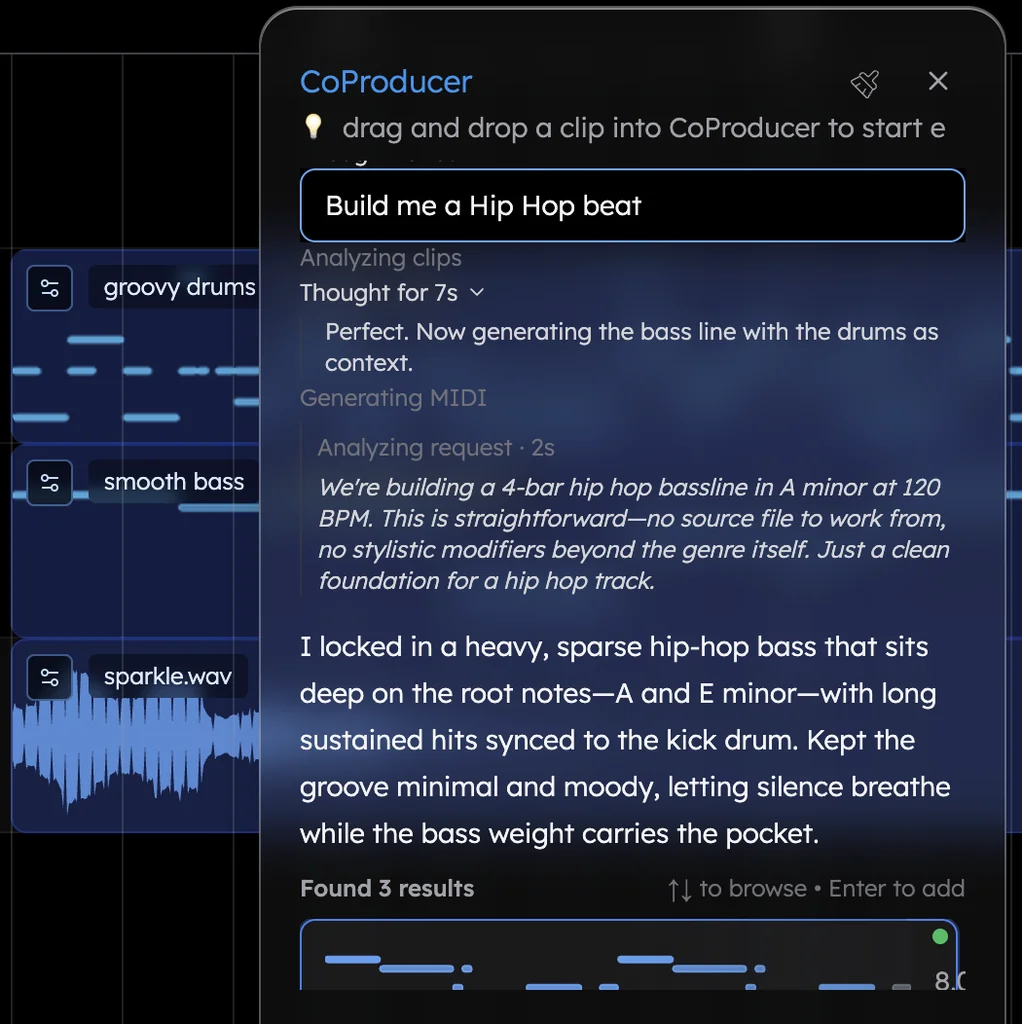
Veena is an AI DAW with a personal music producer, CoProducer, who makes the music with you. Describe a song in plain words and CoProducer plans the sections, then builds drums, bass, chords and melody as real tracks on a timeline. You pick among 3 options for each new part, ask for changes in plain words ("half-time drums in the bridge", "swap the organ for a Rhodes-style electric piano", "add a 4-bar build before the last chorus"), and undo any CoProducer change in one step.
Then you keep producing, because it's a whole DAW: a piano roll, a mixer, 61 instrument presets including six 808s, 7 drum kits, a 16-pad sampler, 10 built-in effects, and recording from your mic for your own vocal, guitar or voice memo.
Getting your music out is never rationed. Export from the account menu in the sidebar: WAV 24-bit/48 kHz, MP3 320 kbps, MIDI, or MP4 for projects with video, as the full mix or every track in a zip. No cap on any plan, no watermark on your exports, and Veena shows the file count and size before anything downloads.
The music is yours. Veena's terms say "you own the Output you generate through your use of the Service", on the free plan as much as on Veena Pro. Suno keeps ownership of free-plan songs.
The studio is free. Suno's studio costs $30 a month and "is not compatible with VST or Audio Units plugins". Veena's DAW is on the free plan and loads your own VST3 and AU plugins through the Veena Bridge helper app. It runs in Chrome and other modern browsers on Mac, Windows, Linux and Chromebook, with the AI on Veena's servers, so no graphics card is needed.
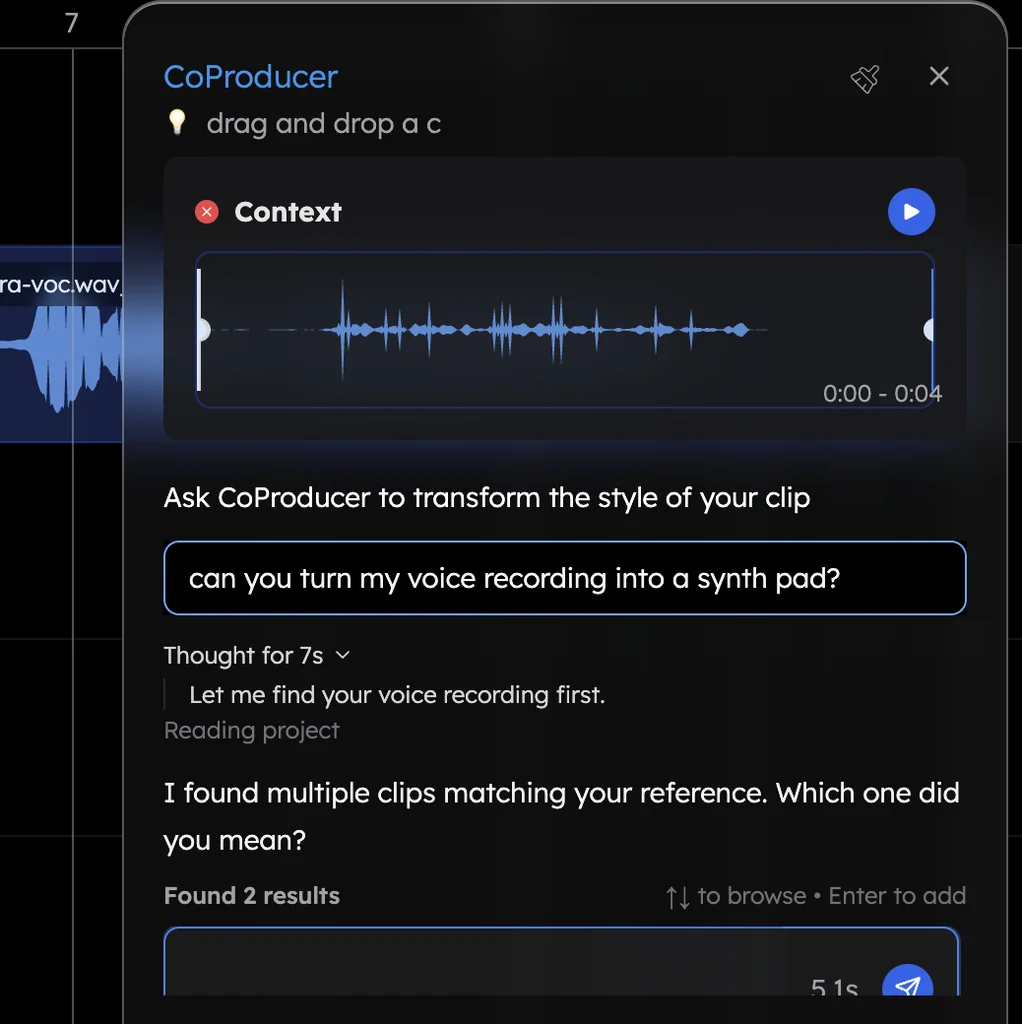
Bring your own sound. Drop in a voice memo, a demo or a loop and CoProducer builds around it; split any audio into four stems (vocals, drums, bass, other) with the free stem splitter; invite a collaborator into the session and build it together in real time.
It works on the first night. In Veena's own data, 3 in 4 new users (75.7%) whose first request asks for a new song get a finished first result on day one, and 81.5% do when the request names a genre.
Price: free, with a daily CoProducer allowance. Veena Pro, $20 a month, removes the daily request cap and unlocks the premium models; exports are uncapped either way.
2. Udio: no limit, because there are no downloads
Udio solved the download question by removing downloads. On 29 October 2025 its CEO wrote: "Starting today, downloads from the platform will be unavailable." Its help centre, dated 17 February 2026, confirms "downloading of audio, video, and stems has been disabled", and its terms say "You may not download copies of any Output or any other output generated by the Services."
Ownership doesn't help either: Udio's terms say "the Company or its affiliates or their respective licensors own and will continue to own the Services, the Output", and you may use Output "solely for your personal and non-commercial purposes". Plans run $10 or $30 a month, and a subscriber who doesn't cancel the 7-day trial, and didn't switch it to monthly, is "immediately charged the full price of an annual subscription". What it costs you: paying to make music you can never take out. More in the best Udio alternative.
3. Mureka: no cap, if you pay, and MP3 unless you pay more
Mureka's plans page says "There are no download limits" on paid plans. The catch is what you can download at each price. Pro, $10 a month, gives "Unlimited MP3 downloads". WAV, stems and MIDI sit in Premier at $30 a month ("Unlimited downloads: WAV, Stems, MIDI & DAW session"), together with Mureka Studio.
The free tier is Mureka's, not yours. Its terms, released 13 May 2026, say "mureka owns all rights, title and interest in and to the Output made by you through the service" and license it back "solely for your lawful, internal, and non-commercial purposes, provided that you give attribution credit to mureka in each case." The same section grants Mureka "an unrestricted, assignable, sublicensable, irrevocable, royalty-free license throughout the universe" to exploit your Output. Its AI copilot, Mureka Co, "Currently supports Ableton Live" as a desktop download, and its replies "may consume Gold."
4. Google Flow Music: downloads, but a generator you steer with sentences
Google's Flow Music (formerly ProducerAI, formerly Riffusion) lists downloads on all four plans, from free to $64 a month. What you download is a generated song. Google's own help page describes editing as typing: "Prompt Google Flow Music to edit your song … type "Shorten the intro to 4 bars" or "Add a bridge before the final chorus."" MIDI is not among the plan features it lists.
Two more costs: songs you publish are open to other people by default ("To disable remix, vibes, and downloads by others, turn off Allow community remix"), and the model family behind it is the subject of a lawsuit filed by independent musicians on 6 March 2026 over training on YouTube recordings (Music Business Worldwide, 10 March 2026). A song you can only change by rewording a prompt isn't a session you can produce in.
5. Logic Pro and GarageBand: no caps, no producer, Apple only
A traditional DAW never counts your exports, but you build every part yourself. Logic Pro is $199.99, or $12.99 a month in Apple Creator Studio, and "requires macOS 15.6 or later and a Mac with Apple silicon." Its Session Players play grooves on cue, but Apple describes no way to build a song from a sentence. GarageBand is free only if you already own a Mac, iPhone or iPad, with no Windows, Android, Chromebook or browser version. Leaving Suno for Logic means an Apple-silicon Mac, a new studio to learn, and writing the whole arrangement by hand.
6. FL Studio and Ableton Live: no caps, a paid install
FL Studio starts at $99 for the Fruity edition, which has "no audio recording, no stem separation"; its free trial exports but won't reopen the projects you saved. Ableton Live Intro is $99 for 16 tracks, stem separation needs Suite at $749, the MIDI Generators skip Intro entirely, and the 30-day trial stops saving and exporting when it ends. Both are Mac and Windows installs with no Linux, Chromebook or browser version. No cap, and no producer either.
Suno alternatives with no download limit, compared (September 2026)
| Veena | Udio | Mureka | Google Flow Music | Logic, Ableton, FL Studio | |
|---|---|---|---|---|---|
| Price to start | Free | Free tier; Standard $10 a month | Free tier; Pro $10 a month | Free tier; Starter $8 a month | Logic $199.99 (Mac only); Ableton and FL Studio from $99 |
| Getting music out | No cap, every plan | Downloads disabled on every plan | No cap on paid plans: MP3 on Pro, WAV and MIDI on Premier | Downloads listed on every plan | No cap |
| What one prompt gives you | A full song as separate, editable tracks | A song that never leaves Udio | A mixed song | A mixed song | No prompt: you build each part |
| Changing one part | Change any note, sound or section, free | Only inside Udio | In Mureka Studio, Premier only | By rewording a prompt | By hand |
| Who owns a free-plan song | You do | Udio and its licensors | Mureka, with credit required | Google "doesn't claim ownership" | You do |
| Every track as its own file | Free, zipped, WAV or MP3 | No | Stems on Premier, $30 a month | Stem downloads listed | After you build and route them yourself |
How to switch to Veena this week
Leave Suno, keep producing in Veena.
- Take what's yours first. Download the songs you own while your Suno plan is still active; commercial rights on songs downloaded as a subscriber are perpetual under Suno's terms. How to cancel a Suno subscription has the checklist.
- Open daw.veena.studio and sign in with Google. Nothing to install.
- Bring your own recordings, stems and MIDI. Drag in audio in 13 formats, including WAV, MP3, M4A, FLAC and AIFF. MIDI files open as editable tracks, one per MIDI track, with channel 10 mapped to drums. Right-click any audio clip and choose Separate into Stems.
- Let CoProducer build. Ask for new parts around what you brought, or start a new song from one sentence, like the indie rock prompt at the end of this page.
- Export whenever you like. WAV, MP3 or MIDI, the mix or every track, as often as the song needs. Veena's export formats lists every option.
The verdict
Every rival here either rations what leaves (Suno), keeps it (Udio), charges $30 a month for the good files (Mureka), hands you a mix you edit by rewording (Flow Music), or hands you an empty studio (the desktop DAWs). Veena is the only one on this list that gives you a personal producer, a full studio and uncapped exports of every track, free, with the music yours. It is the Suno alternative with no download limit.
For the wider switch, read the Suno alternative guide and the Veena vs Suno comparison.
Related reading: Suno download limits explained · Suno unlimited downloads · Leaving Suno
Try this in Veena
Make a 100 BPM indie rock song in E major: live-feel drums with a driving hi-hat, a melodic bass line, two interlocking electric guitars (a chiming arpeggio and a chord rhythm), warm organ in the choruses and space for my vocal. Verse 8, chorus 8, verse 8, chorus 8, bridge 8, double chorus 16.
Frequently asked questions
What is the best Suno alternative with no download limit?
Veena. Veena is an AI DAW with a personal music producer built in. Describe the song you want and CoProducer builds it with you — beats, chords, melody, arrangement and mix — as real tracks you can edit, mix and export. Free, in your browser. Every plan, the free one included, exports WAV, MP3 or MIDI, the mix or every track, with no cap and no watermark.
Does Udio have a download limit?
Udio has no downloads at all. Since 29 October 2025, "downloading of audio, video, and stems has been disabled", and its terms say you may not download copies of any Output, on any plan. Your songs stay inside Udio. Veena is the opposite: every song and every track exports with no cap, free, and you own what you make.
Is Mureka a good Suno alternative for downloads?
Mureka's paid plans have no download cap, but Pro at $10 a month gives you MP3 only; WAV, stems and MIDI need Premier at $30 a month. On the free tier, Mureka's terms say Mureka owns what you make and you must credit it. Veena gives you WAV, MP3, MIDI and every track on the free plan, and the music is yours.
Can I move my music from Suno to Veena?
Yes. Download the songs you own while your Suno plan is active, then drag your recordings, stems and MIDI files into Veena in your browser. Split any audio into four stems, and CoProducer builds new parts around what you bring. Or start a new song from one sentence. Export whenever you like, as often as you like, with no cap.
Meet your personal music producer
Free, in your browser. Describe the song you want and CoProducer builds it with you.
Make music free