How to Cancel Your Suno Subscription (and Keep Your Songs)
Cancel a Suno subscription on suno.com, iPhone or Android, step by step: what to download first, what you keep and lose, and where to keep making music.
To cancel a Suno subscription bought on the web, go to suno.com/account, choose Cancel Subscription and confirm; if you subscribed in the iPhone or Android app, cancel in your device's subscription settings (Suno's help centre, September 2026). Download your songs first, then keep making music free in Veena, the AI DAW with a personal producer and no cap on exports.
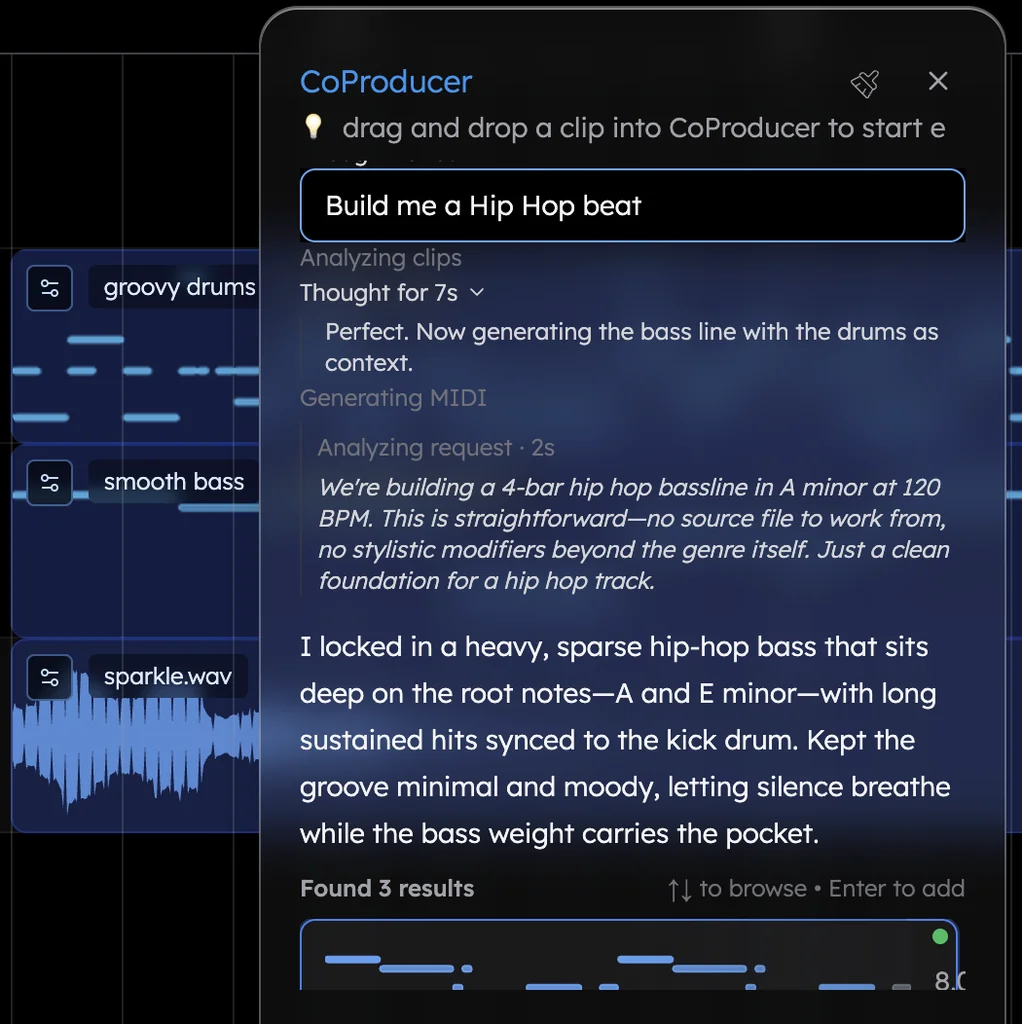
Veena is an AI DAW with a personal music producer built in. Describe the song you want and CoProducer builds it with you — beats, chords, melody, arrangement and mix — as real tracks you can edit, mix and export. Free, in your browser.
Two things matter more than the cancel button: what you download before you press it, and where your music lives afterwards. Both are below, from Suno's help centre and Terms of Service, read on 23 September 2026.
Before you cancel: download what you want to keep
The moment your paid period ends, Suno says "downloads follow free tier limits". Free accounts get up to 7 lifetime trial downloads if they joined before 3 September 2026, and trial downloads carry no commercial rights. So the downloads you still have this month are the ones that matter.
How to download on Suno (help article "How do I download songs?", edited 9 September 2026):
- In your Library or Workspace, open a song's More Actions (...) menu.
- Hover over Download and choose the format.
- For several songs at once, Ctrl-click (Cmd on a Mac) or Shift-click to select them, right-click, choose Download All, pick the file type and download them as one ZIP.
Make every download count:
- Use this month's allowance first. Pro has 20 downloads a month and Premier 60; unused ones don't roll over.
- Take WAV from suno.com. WAV is for paid plans only, and mobile downloads default to MP3.
- Stems ride free. If a song has stems, they're part of that song's single download.
- Spend your top-up credits. Suno's pricing page says purchased credits "do not expire, but require an active subscription to use."
Why it matters beyond the file: under Suno's Terms, effective 3 September 2026, "You may not commercially exploit Output that has not been downloaded by you through an approved channel." A song you download while subscribed keeps its commercial rights for good. The full rules are in Suno commercial use rules.
How to cancel your Suno subscription on suno.com
For a plan bought directly from Suno (billed through Stripe), Suno's help article "How do I cancel my paid subscription?" gives these steps:
- Go to suno.com/account.
- Choose Cancel Subscription at the top of the page.
- Confirm the change when Suno asks you to.
The same page offers a second route: choose Update Payment at suno.com/account and cancel "directly within Stripe". Suno's Terms also accept a cancellation by email to billing@suno.com.
Cancel a Suno subscription on iPhone, iPad or Android
App subscriptions are billed by Apple or Google, and Suno's help centre warns it "may not be able to assist with purchases from the Google Play Store or App Store." Cancel where you paid.
iPhone or iPad:
- Open the Settings app and tap your name to reach your Apple Account.
- Tap Subscriptions.
- Tap Suno, then Cancel Subscription.
Android:
- Open Settings and tap Google, then your name, then Manage your Google Account.
- Tap Payments & subscriptions, then Manage subscriptions.
- Tap Suno, then Cancel Subscription.
When it takes effect, and refunds
- Cancel before renewal. Suno's Terms say "you must cancel your subscription before the subscription period renewal date" to avoid the next charge.
- You keep paid access until the period ends. "You will continue to have access to the paid Service through the end of the subscription period for which payment has already been made."
- Refunds are the exception. "Payments made by you hereunder are final and non-refundable, unless otherwise determined by Suno." Suno's help centre handles refunds case by case, with examples like paying for a year instead of a month by accident, and says it won't refund a change of mind after months of use.
What you keep, and what you lose
| You keep | You lose |
|---|---|
| Your library: "all of your songs remain in your account", playable and shareable on Suno | Downloads beyond the free tier's limits |
| Commercial rights on songs you downloaded while subscribed, which Suno's Terms call perpetual | Commercial use of anything you make from now on |
| Ownership of songs made while subscribed, "even after the subscription is canceled" | Ownership of new songs: on the free tier, Suno keeps it |
| Purchased top-up credits, which don't expire | The use of those credits, which "require an active subscription" |
| The free model, v6-mini | v6 and v6-wild, which are for paid plans only |
| Suno Studio (Premier only), stem separation and WAV downloads |
Keep making music: Veena's free plan
Leave Suno, keep producing in Veena. The free plan is a whole studio with a producer in it, and nothing you make there is rationed on the way out.
- Sign in at daw.veena.studio with Google. Nothing to install; it runs in Chrome and other modern browsers on Mac, Windows, Linux and Chromebook.
- Start fresh from a sentence. Describe the song, like the R&B prompt at the end of this page. In Veena's own data, 3 in 4 new users (75.7%) whose first request asks for a new song get a finished first result on day one.
- Or bring your own recordings. Voice memos, demos, loops, bounces of songs you own: drop them on the timeline and CoProducer builds new parts around them. Split any file into four stems with the free stem splitter.
- Pick, edit, record. CoProducer offers 3 options for each new part. Change any note, swap any instrument, record your vocal from the mic, and undo any CoProducer change in one step.
- Export whenever you like. WAV 24-bit/48 kHz, MP3 320 kbps or MIDI, the full mix or every track, with no cap and no watermark.
| After you leave Suno | Veena Free | Suno Free |
|---|---|---|
| Price | $0 | $0 |
| Downloads and exports | No cap | Free-tier limits: up to 7 lifetime, or "may occasionally receive" for accounts opened since 3 Sep 2026 |
| New songs you make | Yours: you own the Output | Suno's, for personal use only |
| The studio | The whole DAW, with your own VST and AU plugins | Suno Studio is Premier only |
| Every track separately | Free: 4-stem separation, and every track as its own export | "No stem separation" |
| File formats | WAV, MP3 and MIDI | MP3 |
If you ever take Veena Pro — $20 a month, monthly only — it removes the daily CoProducer request cap and unlocks the premium models. Exports stay uncapped whether you're on it or not; Veena's free plan explains the daily allowance.
Still deciding where to go? The Suno alternative guide, the Veena vs Suno comparison and Suno download limits explained cover the whole picture.
Related reading: Leaving Suno · Who owns Suno songs · Suno's paywall on old songs
Try this in Veena
Make a 90 BPM R&B song in E flat major: a laid-back kick and snare with swung hi-hats, warm electric piano chords with rich extended voicings, a round sub bass, soft string pads in the chorus and space for my vocal. Intro 4 bars, verse 16, chorus 8, verse 16, chorus 8, outro 4.
Frequently asked questions
How do I cancel my Suno subscription?
If you subscribed on the web, go to suno.com/account, choose Cancel Subscription at the top of the page and confirm. If you subscribed in the iPhone or Android app, cancel in your device's subscription settings. You keep paid access until the period ends. Download your songs first, then keep making music in Veena, a free AI DAW with no cap on exports.
What happens to my songs if I cancel Suno?
They stay in your account, playable and shareable on Suno, but "downloads follow free tier limits". Commercial rights on songs you downloaded while subscribed survive cancellation; anything new you make on the free tier belongs to Suno and is personal-use only. In Veena you own the Output you generate on every plan, and you export it whenever you like.
Can I get a refund when I cancel Suno?
Usually not. Suno's Terms say payments are "final and non-refundable, unless otherwise determined by Suno", and its help centre lists case-by-case exceptions such as paying for a year instead of a month by mistake. Veena Pro is billed monthly only, so there's never a year to be stuck in, and Veena's free plan exports with no cap.
Do I keep Suno commercial rights after cancelling?
Yes, for songs you downloaded while subscribed: Suno's Terms call those rights perpetual and unaffected by cancellation. Songs you never downloaded can then only leave under free-tier limits, and trial downloads carry no commercial rights. Veena has no such split: you own what you make on the free plan too, with no watermark on your exports.
Meet your personal music producer
Free, in your browser. Describe the song you want and CoProducer builds it with you.
Make music free