Veena vs Suno Studio: Editable Notes vs a Rendered Song
Veena vs Suno Studio, from Suno's pages: a $30-a-month studio around rendered songs, or a free AI DAW where CoProducer writes every part as real tracks.
Veena vs Suno Studio comes down to what sits on your timeline. In Veena, an AI DAW with a personal music producer, CoProducer writes your song as parts — notes on real tracks you can change — free in your browser. In Suno Studio, the song arrives as Suno's rendered audio, and the studio where you work on its parts costs $30 a month.
Veena is an AI DAW with a personal music producer built in. Describe the song you want and CoProducer builds it with you — beats, chords, melody, arrangement and mix — as real tracks you can edit, mix and export. Free, in your browser.
What changed in September 2026
Suno rewrote its rules this month. From its own blog, help centre, release notes and Terms, read on 23 September 2026:
- Studio 1.x is on its way out. Studio 2.0 launched on 13 August with MIDI tracks, a piano roll, a wavetable synth and a chat bar in beta, and Suno said it expected "to deprecate Studio 1.x in early September 2026."
- Downloads are capped (3 September). Free up to 7 lifetime trial downloads, Pro 20 a month, Premier 60 a month, older songs included (Suno's paywall on old songs). Studio exports on Premier are the one uncapped route.
- Commercial use follows the download (3 September). "You may not commercially exploit Output that has not been downloaded by you through an approved channel" (Terms of Service).
- Every model before v6 is retired (9 September). "Retiring a model means you can't generate new songs with it." Extending or covering an old song now runs on v6, so "results may sound different from the original generation."
Veena added the other way: stems, 24-bit WAV and 320 kbps MP3 in export (9 September), real-time collaboration (12 September) and your own VST3 and AU plug-ins through Veena Bridge (13 September), every one of them on the free plan.
The short answer
Veena is the better choice because the song is built as music you can change, and the whole studio is free. Tell CoProducer what you want in plain words; it plans the sections, writes drums, bass, chords and melody as real tracks, offers 3 options for each part and mixes the result. Change a note, swap an instrument, record your own part, load your own plugins, invite a collaborator, and export WAV, MP3 or MIDI with no cap.
Suno Studio asks for Premier before the timeline opens, keeps your plugins out, and asks you to check its generations for timing by ear.
Veena vs Suno Studio at a glance (September 2026)
| Veena | Suno Studio | |
|---|---|---|
| Price to open the studio | Free; Veena Pro $20 a month | Premier only: $30 a month or $288 a year |
| How the song arrives | Parts written as notes on real tracks, 3 options each | A rendered song, plus MIDI parts from the chat bar in beta |
| Getting notes out of audio | CoProducer transcribes audio or a hummed line to MIDI, on every plan | Premier only: drag audio onto a MIDI track, or "Get MIDI (costs 10 credits)" per stem |
| Timing | MIDI on your project's grid | "new generations fall slightly in front of or behind the beat" |
| Your own plugins | VST3 and AU on Mac, VST3 on Windows, through Veena Bridge | "Not compatible with VST or Audio Units plugins" |
| Stem separation | 4 stems on every plan, on your timeline | Premier's Studio tools; "No stem separation" on Free |
| Exports | No cap on any plan; WAV, MP3, MIDI, every track | Uncapped in Studio on Premier; 20 or 60 downloads a month elsewhere |
| A free-plan song belongs to | You | Suno |
What Suno's own pages say about Suno Studio
Every line in this section comes from pages Suno publishes itself, read on 23 September 2026.
The studio is the top tier. "Studio is included in the Premier subscription tier." Premier is $30 a month, or $288 a year. The $10 Pro plan doesn't include it.
The song is still a render. Suno's site title is "Suno | AI Music Generator", and its Studio help explains how to open a song from your library in Studio. What you open is audio. Studio 2.0's chat bar can "Compose MIDI parts and generate alternate audio takes", but the song Suno generated arrives as a recording, and MIDI downloads are "Available for songs created in Suno Studio" and "Available to Premier subscribers".
Turning a stem into notes is priced. Suno's "Exporting from Studio" page walks you through it: extract stems, click one, "Get MIDI (costs 10 credits)." You are paying for software to listen to audio and guess the notes. A piano with pedal, a bass with slides, a vocal with melisma: each comes back as a plausible approximation.
The grid needs checking. Suno says "some users may experience timing issues, where new generations fall slightly in front of or behind the beat," in its Studio 2.0 help article, and recommends "being rigorous about checking the timing of your new generations."
Your plugins stay outside. "Suno Studio is not compatible with VST or Audio Units plugins," and "Studio does not have direct DAW sync or plugin-host integration."
Credits expire. Suno's billing help says "paid subscriptions still have expiring credits", and the pricing page adds that subscription credits "do not carry over from day to day or month to month."
Rights follow the plan and the download. On the free plan, songs are "only intended for personal, non-commercial use. These songs cannot be monetized" (Suno's help centre). On paid plans, the Terms bar commercial use of any song not "downloaded by you through an approved channel", and "Subscribing to a Pro or Premier plan does not give you retroactive commercial use licensing for the songs made with a free plan by default."
What it costs you: $30 a month before the editor opens, a song that arrives as audio, 10 credits to turn a stem into approximate notes, a timeline you check by ear, and plugins you own left at the door.
What Veena does instead
You direct, it produces. Type what you want the way you'd say it to a collaborator: "make the second verse darker, drop the drums for four bars before the chorus, give me a bassline that sits under this chord loop." CoProducer plans the steps and carries them out across the arrangement, narrating as it goes, and one undo reverses any change it makes.
What it makes is editable, because it is MIDI. Chord progressions, basslines and melodies arrive as notes with pitch, position, length and velocity you can drag in the piano roll; drums land in a step sequencer. If the third chord is wrong, move it. If the hi-hats are too busy, delete half of them. Editing by hand costs nothing, and a part that must fit another reads that part's actual notes before it is written.
Your own audio becomes part of the session. Drag in a demo, a voice memo or a loop, then right-click and choose Separate into Stems for vocals, drums, bass and other on their own tracks, lined up with the original. Or ask CoProducer to build new parts around your recording: it measures the take's tempo and phrasing first.
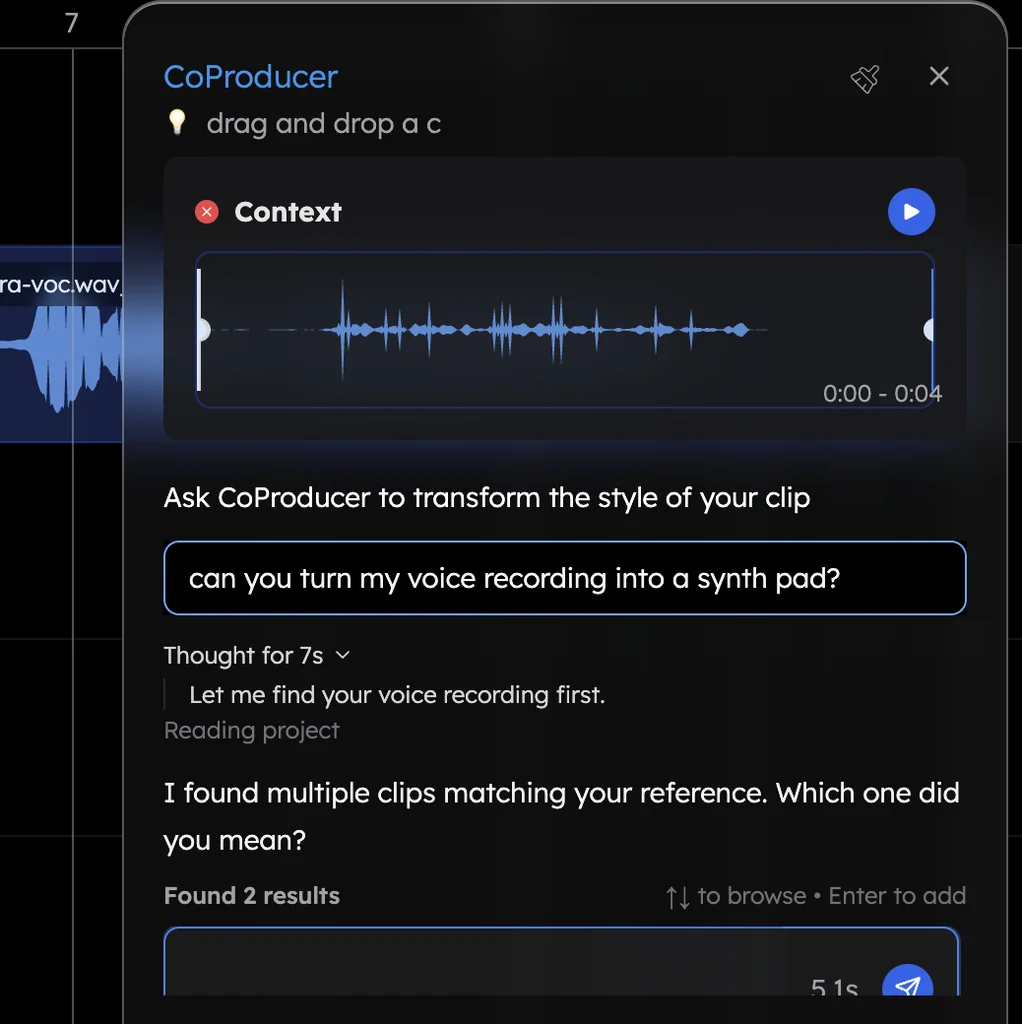
Your voice is an instrument. Hum a line and CoProducer turns it into an editable MIDI part, or re-voices your humming as a saxophone or a synth pad. The melody stays yours. See voice to instrument.
Your plugins come with you. Install the Veena Bridge helper app once and your own VST3 and AU plug-ins on a Mac, or VST3 on Windows, play inside the browser studio, instruments and effects both. CoProducer sees what you have installed and can start from their real presets.
You leave with files. Export WAV 24-bit/48 kHz, MP3 320 kbps or MIDI, the full mix or every track as a zip, as often as you like, on every plan, with no watermark.
Pricing. A free plan with a daily CoProducer allowance. Veena Pro, $20 a month, removes the daily request cap and unlocks the premium models; unused credits roll over while you stay subscribed.
Render, stems, MIDI: the distinction that decides everything
Producers argue about AI tools with the wrong vocabulary, so here is the ladder.
A render is a stereo recording of a performance that already happened. You can make it louder, brighter, wider or shorter. You can't make it play a different note, because there are no notes in it, only a sum of air pressure over time.
Stems are that recording split into parts. Useful: you can rebalance, re-effect, mute and rebuild an arrangement around them. But a stem is still audio. Muting the bass and writing a better bassline are different operations, and stems only give you the first one.
MIDI is the composition itself: which note, when, how long, how hard. It survives a change of mind. Swap the instrument and the part still plays. Change the key and everything moves with it.
That is why "we export multitrack WAV" and "we export MIDI" are different claims, and why paying 10 credits to transcribe audio back into approximate notes is not the same as having written them. Veena's CoProducer writes MIDI first and sound second: the composition exists as a composition, and the render is one thing you do with it at the end.
What "agentic" means when you're working
The word gets used loosely, so here is the working test: can you give an instruction that spans several steps and several tracks, and does the tool carry it out on material you can still change?
"Make this section land harder" isn't one operation. It is a decision about arrangement (drop something out before it), about parts (double the bass an octave down, or don't), about dynamics, and about where the ear goes. A prompt box regenerates the whole thing and hopes. An agentic CoProducer plans the steps, carries them out on the parts, and leaves the result open for you to argue with. Your taste is the point; CoProducer removes the friction, not the artistry.
Other options
Weighing more than two? The Suno alternative guide ranks ten more, from Udio, which disabled downloads in October 2025, to Mureka, which keeps WAV, stems and MIDI on its $30 Premier plan. For the rules on getting songs out of Suno, read Suno download limits.
The verdict
If you want to make a record — change the chord, replace the drums, restructure the second half, bring in the plugins you already own and leave with files you own — the timeline has to hold music rather than a recording of music. Suno Studio charges its top tier for a surface where the song is a render, prices the transcription of a stem, and tells you to check its timing yourself. Veena gives you CoProducer, parts you can edit note by note, 4-stem separation and your own plugins, free, in a browser tab. Start in Veena.
Related reading: Veena vs Suno Studio 2.0 · what Suno cannot do · the Suno credit burn problem · Veena vs Suno: full comparison
Try this in Veena
Make a 140 BPM trap beat in C minor: rolling hi-hats with triplet bursts, a hard kick, a snare on 3, a long distorted 808 that follows the kick, dark bell-like piano chords and a sparse flute melody for the hook. Intro 4 bars, hook 8, verse 16, hook 8, verse 16, hook 8, outro 4.
Frequently asked questions
Is Veena better than Suno Studio?
Yes. Veena is an AI DAW with a personal producer, free in your browser: CoProducer writes drums, chords, bass and melody as real tracks you edit note by note, with your own VST and AU plugins and exports with no cap. Suno Studio is included only in Suno's $30-a-month Premier plan, is "not compatible with VST or Audio Units plugins" and lists a known timing issue (Suno's help centre, September 2026).
Can you actually edit a song in Suno Studio?
You can edit the audio Suno rendered, and Studio 2.0 adds MIDI tracks and a chat bar in beta, but only on the Premier plan. Turning a stem into a MIDI file is "Get MIDI (costs 10 credits)" on Suno's own export page. In Veena, CoProducer writes each part as notes from the start, so you change any note in the piano roll, free, with nothing to transcribe.
What is the best free alternative to Suno Studio?
Veena. Suno keeps Studio inside Premier, lists "No stem separation" and "No monthly song downloads" on its free plan, and says free-plan songs are "only intended for personal, non-commercial use". Veena's free plan runs in your browser with nothing to install: CoProducer with a daily allowance, editable parts, 4-stem separation, your own plugins through the free Veena Bridge helper and WAV, MP3 and MIDI exports with no cap.
Does Suno Studio count against the new download limits?
No: Suno says Premier subscribers who use Studio have "no download limits". Outside Studio, since 3 September 2026, Premier gets 60 downloads a month, Pro 20 and free accounts up to 7 lifetime, songs made earlier included. Veena needs no workaround: every plan exports the mix or every track as WAV, MP3 or MIDI with no cap and no watermark.
Meet your personal music producer
Free, in your browser. Describe the song you want and CoProducer builds it with you.
Make music free