Change anything with CoProducer
To edit a song with CoProducer, point at the part and say what should change: "half-time drums in the bridge", "swap the piano for the Electric Piano", "add an 8-bar intro". CoProducer makes the change inside your Veena project, leaves the rest of the song alone, and every change it applies is one Ctrl+Z away.
Veena is an AI DAW with a personal music producer built in. Describe the song you want and CoProducer builds it with you — beats, chords, melody, arrangement and mix — as real tracks you can edit, mix and export. Free, in your browser.
Point at the part
CoProducer reads the whole project, so a plain description usually finds the part: "the bass in the second chorus", "the guitar loop", "the last 8 bars". To be exact:
- Name the bars or the section. "Bars 17 to 24" or "the bridge". Section names come from the ribbon under the ruler.
- Highlight a region and ask for a change to "only the highlighted part".
- Drag a clip into the CoProducer panel. It appears as context, with its own play button, and your request applies to it.
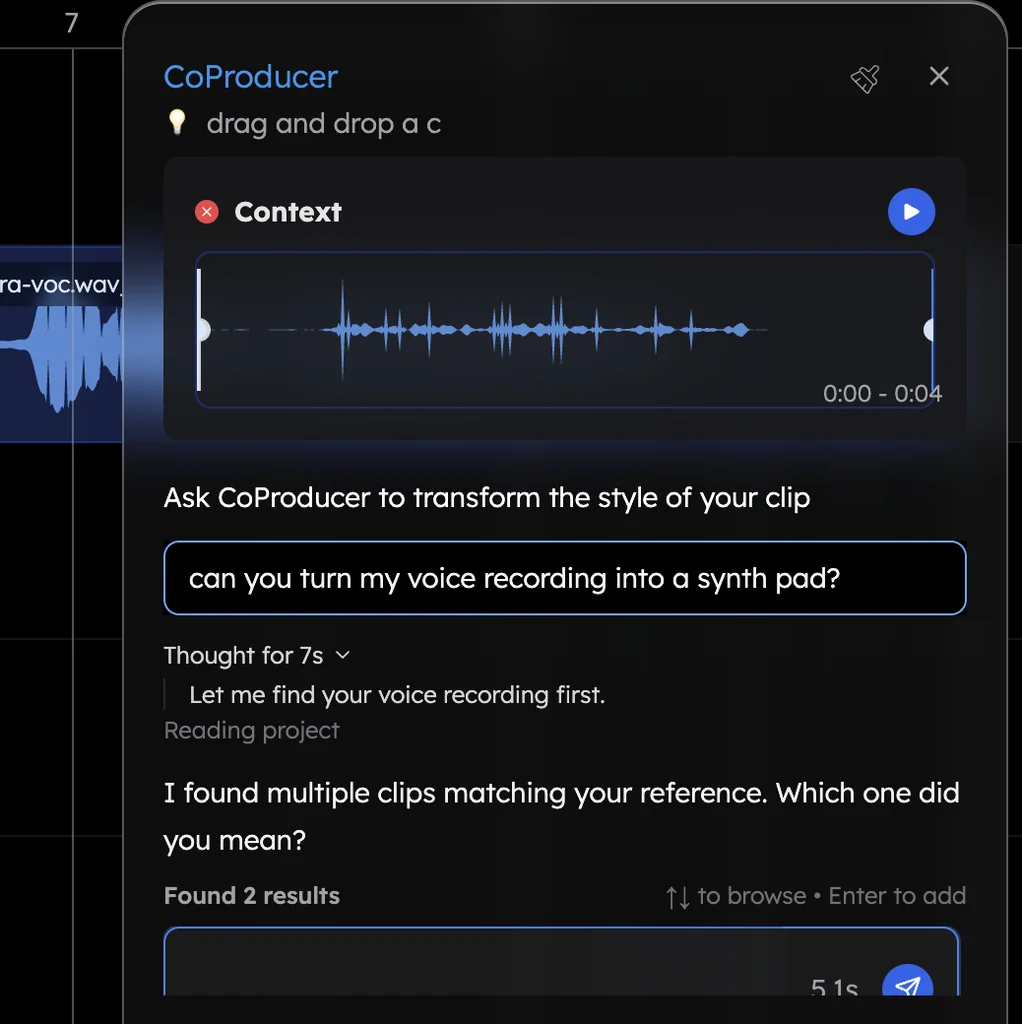
What you can change when you edit a song with CoProducer
| Area | Say something like | What CoProducer does |
|---|---|---|
| Notes | "Re-voice the chords higher", "humanize the hats", "quantize the bass to 16ths", "extend the melody to 16 bars" | Edits the clip you pointed at, keeping its sound |
| Arrangement | "Move the bridge after the second chorus", "drop the drums out for 4 bars", "shorten the intro to 4 bars", "repeat the chorus with variation" | Moves, swaps, duplicates, thins out or trims bars and sections |
| Sound | "Swap the piano for the Electric Piano", "put the drums on the TR909 kit", "play the lead on my Serum" | Changes the instrument or kit and keeps the notes, including your own plug-ins through Veena Bridge |
| Audio | "Reverse this clip", "pitch it up 2 semitones", "auto-tune the vocal to A minor", "give this loop a lo-fi vibe" | Processes your recording, or restyles it as a new take |
| Mix | "Bring the bass down 2 dB", "pan the guitars wide", "add a tempo-synced delay to the lead" | Sets levels and pan, and adds or tunes effects on the clip |
| Song | "Change the tempo to 100 BPM", "switch to 6/8", "rename the second verse" | Updates tempo, key, time signature, sections and the project name |
For a part that does not exist yet, ask for it the same way ("add a Reese Bass under the drop"). New parts arrive as 3 options to pick from.
Change one thing, or five at once
One message can carry several edits:
In the second chorus, re-voice the chords higher on the Electric Piano, make the drums half-time and add a Reese Bass under its last 4 bars. Then bring the lead track down 2 dB.
CoProducer tracks them in its to-do strip and closes with a "Delivered: …" line and a "Skipped/missing: …" line read from your timeline, so you know exactly what changed. Anything it could not do is named, not glossed over.
Undo, compare, keep
- Undo: each change CoProducer applies is one Ctrl+Z (Cmd+Z on a Mac); Ctrl+Shift+Z redoes it. Undo, listen, redo is the quickest A/B test in the studio.
- Collaboration: in a shared project, undo is per person, so you only ever take back your own changes.
- Big experiments: duplicate the project first from Your Projects, then edit the copy.
Hands-on editing works alongside all of this: see edit MIDI in the piano roll and mixing in Veena. For requests to borrow, use the CoProducer example prompts, and to turn a hum into an instrument, see voice to instrument. Everything else is in the Veena help centre.
Try this in Veena
In the second chorus, re-voice the chords higher on the Electric Piano, make the drums half-time and add a Reese Bass under its last 4 bars. Then bring the lead track down 2 dB.
Frequently asked questions
Can CoProducer edit just one section of my song?
Yes. Name the section or the bars ("only the second chorus", "bars 9 to 16"), or highlight the region on the timeline, and CoProducer changes only that part of your Veena project. Everything outside it stays exactly as it was, and one Ctrl+Z (Cmd+Z on a Mac) takes the change back if you preferred the original.
Does editing with CoProducer use my free requests?
Each message you type is one request from the daily allowance on Veena's free plan, and one request can carry several changes, so "half-time drums, higher chords, quieter lead" costs the same as one. Picking or skipping options is free, and a run that fails is refunded. Veena Pro removes the daily cap.
Can CoProducer edit audio I recorded?
Yes. CoProducer can reverse, pitch-shift, time-stretch, slice or auto-tune your recordings in Veena, chop a loop into a new groove, split a track into 4 stems, transcribe a melody to MIDI, or re-voice a take as another instrument ("make my humming a saxophone"), which takes about 12 seconds a run.
Can I keep editing by hand after CoProducer changes a part?
Always. Every part CoProducer writes is an ordinary Veena clip: open MIDI in the piano roll to move notes and velocities, program drums in the Beat Maker, trim or split audio, and set levels in the Mixer. Mix both freely: ask CoProducer for a new bridge, then fix one note yourself.
Meet your personal music producer
Free, in your browser. Describe the song you want and CoProducer builds it with you.
Make music free