Make music on your phone
You can make music on your phone with a producer in your pocket. Veena is a free AI DAW with a personal music producer built in, and on a phone it opens a studio built for your thumb: start a song from one sentence, record an idea, direct CoProducer full screen, then finish the same song on your laptop.
Ideas don't wait for a desk. They arrive on the bus, in the kitchen, halfway through a walk, and the phone is the only instrument you have on you. Veena treats that phone as the first seat of the studio rather than a toy version of it: what you start there is a real project with real tracks, and it opens on your computer exactly as you left it.
How to make music on your phone with Veena
- Open daw.veena.studio in Safari or Chrome and sign in with Google. Your songs lists every project on your account, with when you last touched it and its tempo.
- Tap New song. The start screen asks "What should we make today?" and offers three starters: "Build me a hip hop beat" (the genre follows your genre choice), "Find me a guitar loop and build a chill vibe around it" and "Start a moody late-night track with drums, bass and keys". Or type your own in the box.
- Watch it build. The start screen lifts away and CoProducer builds the song in the studio behind it, part by part.
- Pick what you like. When CoProducer offers options for a part, a banner shows them one at a time. Step through with the arrows, tap play to hear each one in the mix, and tap Keep. It turns to Added, and CoProducer carries on.
- Play it back. The transport has stop, play and record. The strip above your tracks shows the song's sections, Intro, Verse, Chorus, with a live playhead, and tapping one takes you there.
Type your own first request when you can. In Veena's own data, users who type their first request get a first result on day one 64% of the time, against 56% for users who click a suggestion, and the prompt at the end of this page is a good start.
Talk to your producer, or type
The strip along the bottom of the screen always says what CoProducer is doing right now. Type in Ask CoProducer…, or tap the microphone, Dictate a prompt, and say it out loud: "make the drums half-time", "add a bridge after the second chorus", "swap the piano for a Glass Pad". Dictation listens in your phone's language, on browsers that support speech input, and fills the box for you to send.
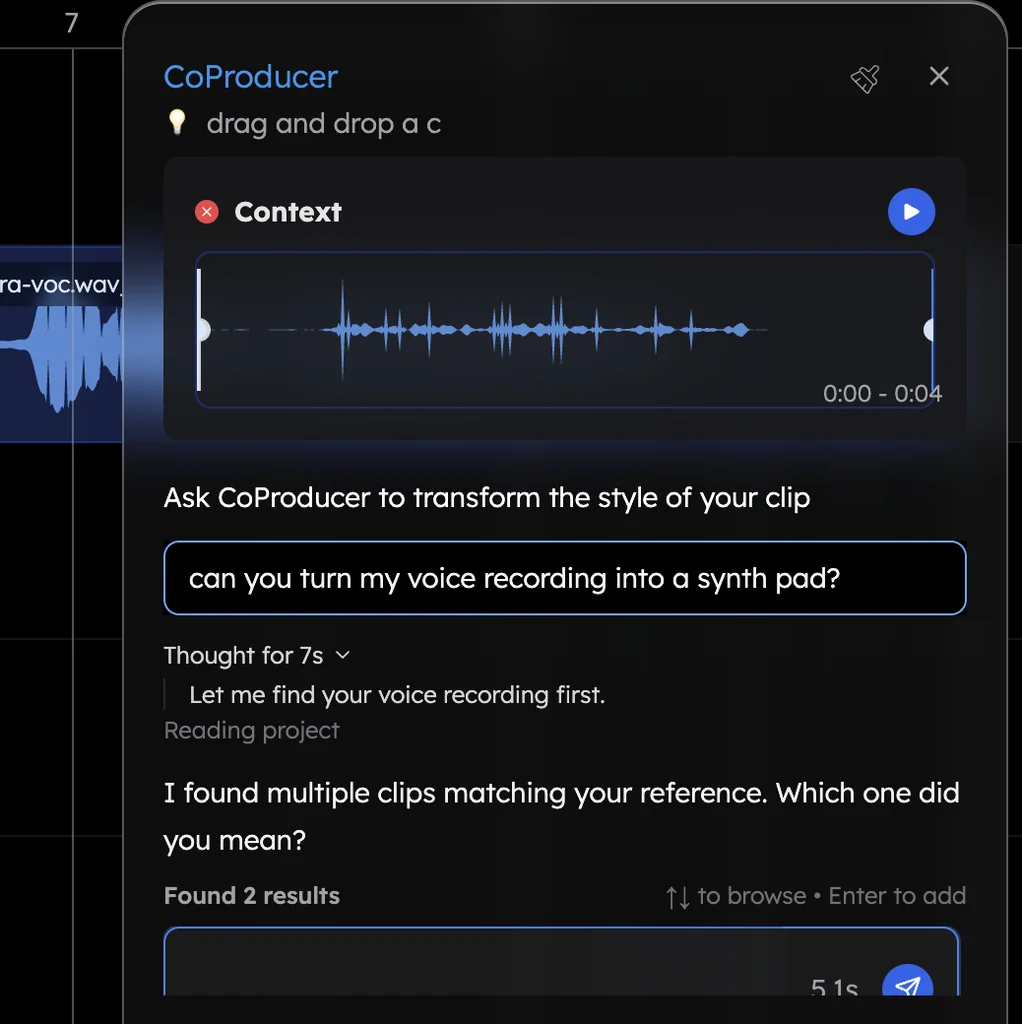
Expand the strip and CoProducer opens full screen. It is the same producer you get on a laptop: the whole conversation, the option cards, the model and genre choices, and Stop. One undo reverses any change it makes.
Record an idea, then build on it
Tap record in the transport. The first time, your browser asks for the microphone; after that, your take lands on a track in the song. Then hand it to CoProducer:
- "Build a song around my recording": CoProducer measures the take's tempo and where your phrases fall, and writes parts that follow it.
- "Turn my humming into a saxophone": your melody comes back as an instrument. More on voice to instrument.
- "Add drums and bass that follow this guitar": a two-bar riff becomes a groove.
About 1 in 4 first requests in Veena's own data start from the user's own audio: a recording, a demo, a loop or a voice memo. A phone is the easiest place to make one.
Finish it on your laptop
Tap Desktop at the top of the phone studio. The Finish on desktop sheet shows the song's own link: tap Copy link, send it to yourself and open it on your laptop, or just sign in at daw.veena.studio there. The song is waiting, every part a real track, with the piano roll, the mixer, 10 built-in effects and your own VST3 and Audio Unit plug-ins through Veena Bridge. Export a 24-bit/48 kHz WAV, 320 kbps MP3, MIDI or every track as stems, with no watermark, and you own your music.
Veena vs the apps that rank for "make music on your phone" (September 2026)
| Veena | GarageBand for iOS | BandLab | FL Studio Mobile | |
|---|---|---|---|---|
| Price to start | Free | Free | Free; Membership $14.99/mo | $14.99 on Apple's App Store |
| Phones | iPhone and Android, in the browser | iPhone and iPad; "iOS 16 required" | iOS 16+ and Android apps | iPhone, iPad and Android |
| Install | Nothing from an app store | An App Store download | An app download | An app download |
| Who writes the parts | CoProducer, with you | You | You; SongStarter ideas you don't own | You, with 8 instruments |
| On your computer | The same project, in any browser | Apple devices only | The web Studio: 16 tracks, 15 minutes | A separate product from FL Studio, $99 to $449 |
The rivals' facts come from their own pages (September 2026): Apple's GarageBand for iOS page, BandLab's system requirements and help centre, and Image-Line's FL Studio Mobile and pricing pages.
Who makes music on their phone with Veena
- Songwriters who hear a melody on the move: hum it, keep it, and let CoProducer write the band.
- Beatmakers with ten minutes to kill: tap a starter prompt and keep the options that hit.
- Singers who can't produce yet: record the vocal on the phone, then build the song around it.
- Anyone switching between devices. The same projects open on a laptop, a Chromebook or a Googlebook; the DAW for Chromebook guide covers ChromeOS.
For a ranked list of phone apps, see the best music maker app roundup; for the step-by-step on every screen, see Veena on phones and tablets. Then open daw.veena.studio on your phone and paste the prompt below.
Try this in Veena
Make a 90 BPM bedroom pop song in D major, 16 bars: Pop kit drums with a soft kick and brushed hats, Electric Piano chords on Dmaj7, Bm7, Gmaj7 and A, a Round Bass line, and a Glass Pad that opens up in the last 8 bars, leaving room for my vocal.
Frequently asked questions
Can you make music on your phone?
Yes. Veena is an AI DAW with a personal music producer built in. Describe the song you want and CoProducer builds it with you — beats, chords, melody, arrangement and mix — as real tracks you can edit, mix and export. Free, in your browser. On a phone it opens a studio built for your thumb: start from a prompt, record, and direct CoProducer full screen.
Do I need to download an app to make music on my phone?
Not with Veena. It runs in your phone's browser, Safari on an iPhone or Chrome on Android, so there is nothing to download from an app store. Open daw.veena.studio, sign in with Google, and every song you start is a real Veena project, saved to the same account your laptop opens.
Can I record my voice on my phone in Veena?
Yes. Tap the record button in Veena's phone studio, allow the microphone when your browser asks, and your take lands on a track in the song. Then ask CoProducer to build a song around your recording, add drums and bass that follow it, or turn your humming into a saxophone. Headphones on keeps the speaker out of the take.
Can I finish a song on my computer after starting it on my phone?
Yes, it is the same project. Tap Desktop at the top of Veena's phone studio to copy the song's link and open it on your laptop, or just sign in at daw.veena.studio there. The full studio opens with every part as a real track, plus the piano roll, the mixer, 10 effects and your own plug-ins through Veena Bridge.
Can I talk to CoProducer instead of typing on my phone?
Yes. Tap the microphone next to Veena's prompt box, Dictate a prompt, and say the song out loud: dictation listens in your phone's language, on browsers that support speech input, and fills the box for you to send. CoProducer takes requests in many languages, so describe the song however it comes to you.
Is making music on your phone with Veena free?
Yes. Veena's free plan includes the phone studio and the full studio on your computer, 4-stem separation, real-time collaboration and exports with no cap and no watermark, plus a daily CoProducer allowance. Veena Pro, $20 a month, removes the daily request cap and unlocks the premium models, on your phone and everywhere else.
Meet your personal music producer
Free, in your browser. Describe the song you want and CoProducer builds it with you.
Make music free