Can AI turn humming into music?
Yes — AI can turn humming into music, and Veena does it two ways. Hum into your mic and CoProducer, your personal music producer, either turns your tune into editable MIDI notes you can play on any instrument, or re-voices your actual take as a cello, a saxophone or a synth, slides and breaths included. Then it builds the whole song around your melody. Free, in your browser.
Veena is an AI DAW with a personal music producer built in. Describe the song you want and CoProducer builds it with you — beats, chords, melody, arrangement and mix — as real tracks you can edit, mix and export. Free, in your browser.
Most songs start as a hum in the car or a voice memo at 2 a.m. The hard part was never the idea. It was getting from the hum to a track without knowing an instrument. That step is what this page is about.
Two ways AI turns your humming into music
| Hum to notes (MIDI) | Hum to an instrument (audio) | |
|---|---|---|
| What you get | An editable MIDI melody on a new track | Your own take, re-voiced as another instrument |
| What survives | The pitches and the rhythm | Your phrasing: slides, swells, breaths |
| Best for | Lines you want to edit note by note, or play on piano, synth, strings or your own plugins | Expressive leads where the feel is the point |
| How to ask | "Turn my humming into MIDI" | "Make my humming a saxophone" |
| After | Fix notes in the piano roll, export a .mid file | Your hum stays muted underneath; ask for another sound any time |
Both keep your original take, muted on its own track, so you can always go back to the idea exactly as it came out.
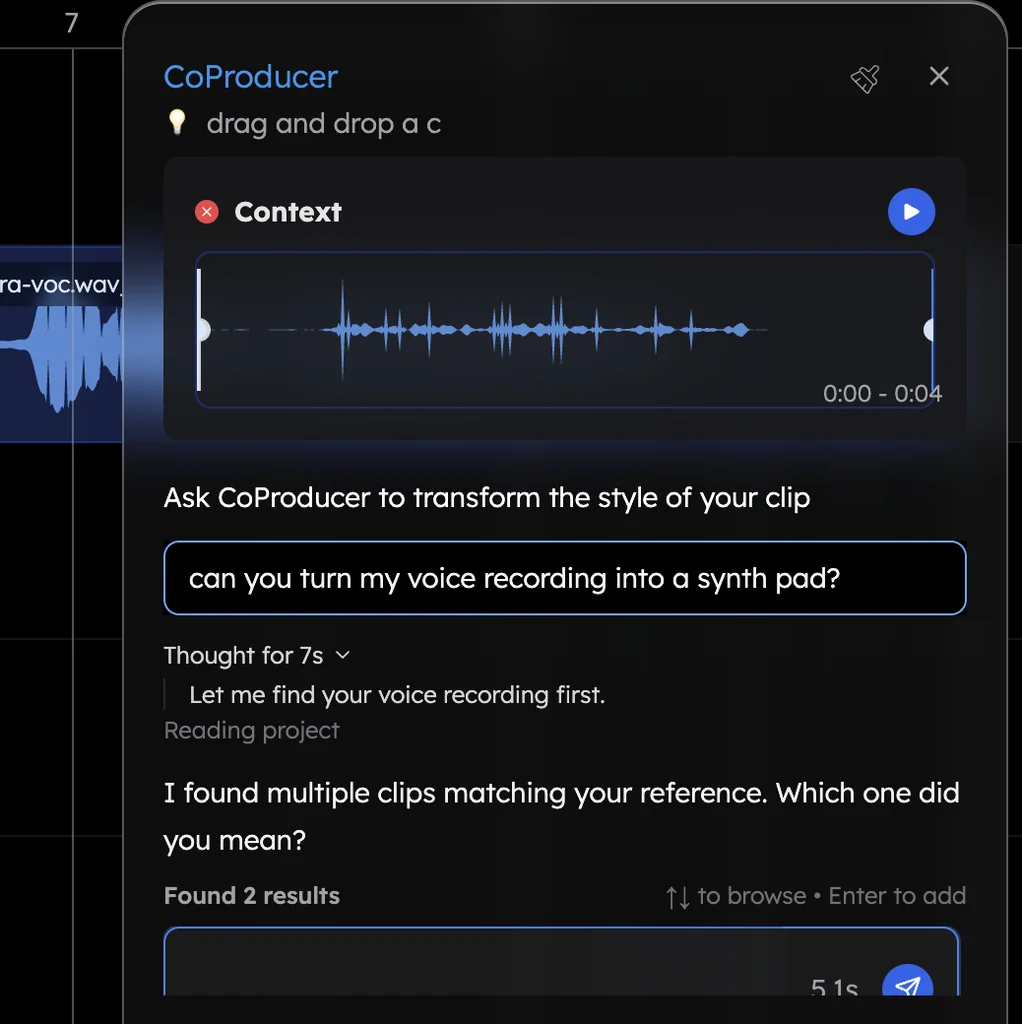
How to turn humming into music in Veena
- Open Veena in your browser and sign in with Google. Allow the microphone when your browser asks.
- Hum and record. Press record in the transport bar. A red box shows where the take will land, with a count-in of one or two bars and the metronome if you want a steady tempo. Or drop in a voice memo you already have.
- Choose what it becomes. "Turn my humming into MIDI and play it on the Electric Piano." Or: "Make my humming a warm cello." A re-voice takes about 12 seconds, and CoProducer tunes your take to the song's key before it changes the sound.
- Build the song around it. Paste this:
Here's my hummed melody. Make it a warm cello in the song's key, then build a 90 BPM lo-fi track around it: dusty drums with a lazy snare, a round upright bass and soft electric piano chords under the tune.
- Pick and steer. CoProducer offers three options for each new part it writes around your melody. Browse with the arrow keys, press Enter to add, then keep shaping in plain words.
About 1 in 4 first requests in Veena refer to the person's own audio: a recording, a demo, a loop or a voice memo. Your hum is the most personal version of that.
Tips for a hum the AI can read
- Use a clear syllable. "Doo" or "da" gives cleaner pitch than a closed-mouth "mmm".
- One syllable per note. Separate notes read as separate notes.
- Keep it steady. Hum along to the metronome, or with a one-bar count-in, so the rhythm lands on the grid.
- Get close and get quiet. Sit near the mic in a quiet room; a laptop mic across a noisy kitchen blurs the pitch. Veena's recording settings include level and latency calibration if your take lands late.
- Short ideas first. Eight bars of a clear hook turn into better music than three minutes of wandering.
What it costs
Free to start. Recording, turning your hum into MIDI or an instrument, building a song around it and exporting it all work on the free plan, with a daily CoProducer allowance. Export the song as WAV (24-bit/48 kHz), MP3, MIDI or every track separately, as often as you like, with no watermark. You own your music. Veena Pro, $20 a month, removes the daily request cap and unlocks the premium models.
Related questions
- How can I make music without instruments?
- Can AI write a melody?
- Can AI create chords from a melody?
See voice to instrument for the full feature, read how to turn humming into a melody step by step, or browse learn music production with AI.
Try this in Veena
Here's my hummed melody. Make it a warm cello in the song's key, then build a 90 BPM lo-fi track around it: dusty drums with a lazy snare, a round upright bass and soft electric piano chords under the tune.
Frequently asked questions
Can AI turn my humming into a full song?
Yes. Hum the tune into Veena, then ask CoProducer to build around it: 'make this a 90 BPM lo-fi track with drums, bass and piano'. CoProducer measures your take's tempo and where your phrases land, then writes the drums, bass and chords to fit the melody you actually hummed. Every part is its own editable track.
Can AI turn humming into MIDI notes?
Yes. Ask Veena's CoProducer to turn your humming into MIDI and it detects the pitches, places an editable MIDI part on a new track and mutes your original take. Fix any note in the piano roll, play the line on any instrument, and export it as a .mid file for any other music software.
Will the AI keep my humming in tune?
Yes. When CoProducer re-voices your humming as an instrument in Veena, it first tunes the take to the key of your song, so a slightly flat note comes out as the note you meant. If you turn the hum into MIDI instead, every note is visible in the piano roll, and you can nudge any pitch yourself.
Can AI turn beatboxing into drums?
Yes. Beatbox the groove into your mic in Veena and ask CoProducer to turn it into drums: your kicks, snares and hats become a real drum pattern on its own track, played on a proper kit. Then swap the kit, tighten the timing or ask for fills, like any other drum part.
Meet your personal music producer
Free, in your browser. Describe the song you want and CoProducer builds it with you.
Make music free