What Udio Cannot Do: 8 Limits, in Udio's Own Words
What Udio cannot do, from its own terms and help centre: no downloads since Oct 2025, no releases, no ownership. Veena, a free AI DAW, gives you all three.
What Udio cannot do, by its own account, is let you leave with your music: downloads have been disabled since 29 October 2025, its terms forbid releasing what you make, and Udio keeps ownership of it. Veena, a free AI DAW with a personal music producer, lets you do all three: export your song, release it and own it.
Veena is an AI DAW with a personal music producer built in. Describe the song you want and CoProducer builds it with you — beats, chords, melody, arrangement and mix — as real tracks you can edit, mix and export. Free, in your browser.
What Udio cannot do, in Udio's own words
Each limit below is quoted from Udio's blog, help centre or terms of service, read on 23 September 2026.
1. It cannot give you your song. "Starting today, downloads from the platform will be unavailable," Udio's CEO wrote on 29 October 2025. The terms (last revised 12 November 2025) made it permanent: "You may not download copies of any Output or any other output generated by the Services."
2. It cannot give you stems or video either. "Note that downloading of audio, video, and stems has been disabled" (Udio help centre, 17 February 2026). No vocal, no instrumental, no drum stem for a remix.
3. It cannot let you release anything. You may not make your Output available "on any streaming platform or user generated content platform (e.g., YouTube, Facebook, Instagram, TikTok, Spotify, Soundcloud and similar platforms)". Not a single release, not a TikTok clip.
4. It cannot let you own what you make. Udio "or its affiliates or their respective licensors own and will continue to own the Services, the Output and any and all other software or technology that was used to generate such Output."
5. It cannot let you earn from it. You may use Output "solely for your personal and non-commercial purposes", and the terms prohibit exploiting "the Services, any Output, or the outputs of other users for any commercial purpose".
6. It cannot change a song without regenerating it. "Every time you click 'Create', 'Extend', 'Remix', 'Inpaint' or 'Edit,' two new songs are created" (Udio help centre, credits and credit limits). Every fix is a new pair of renders, paid for in credits.
7. It cannot keep your unused credits. Subscription credits "don't rollover from month to month". Only credits bought separately "never expire".
8. It cannot let a free user make more than three full songs a day. "When on a free account, you can only create three 130-second songs per day."
Why: Udio is building a walled garden
The limits arrived with Udio's label deals. Downloads went off on 29 October 2025, alongside its partnership with Universal Music Group. On 19 November 2025 Udio announced a licensing arrangement with Warner Music Group that "additionally resolves the companies' copyright litigation", and told users: "You still have access to the same v1, v1.5, and v1.5 Allegro models." That post is still the newest on Udio's blog.
Music Business Worldwide reported on 20 July 2026 that Udio "has embraced the 'walled garden' model", in which AI-generated music "cannot be downloaded or distributed beyond the platform", with stream encryption, "inaudible watermarking on every output" and fingerprinting to block matching uploads (press). The limits above are not a phase. They are the plan.
What Veena does instead
Veena is built on the opposite idea: the music is yours, it is made of parts, and it leaves with you.
- Open Veena in your browser and sign in with Google. Nothing to install.
- Describe the song. Paste the R&B prompt at the end of this post. CoProducer sets 86 BPM and B flat minor, plans the verse, pre-chorus and chorus with their bar lengths, and starts writing.
- Choose each part. Drums, keys, bass and pad arrive as three options each. Pick one and the clip lands on its own track; parts that must fit another read its actual notes first.
- Edit one thing at a time. "Make the hi-hats less busy in the verse." "Voice the chords higher." "Add a 4-bar break before the last chorus." Only that part changes. Or drag the notes in the piano roll yourself, and undo any CoProducer change with one Ctrl+Z.
- Sing, then export. Record your vocal on the timeline, then export the mix or every track as WAV 24-bit/48 kHz, MP3 320 kbps or MIDI, as often as you like.
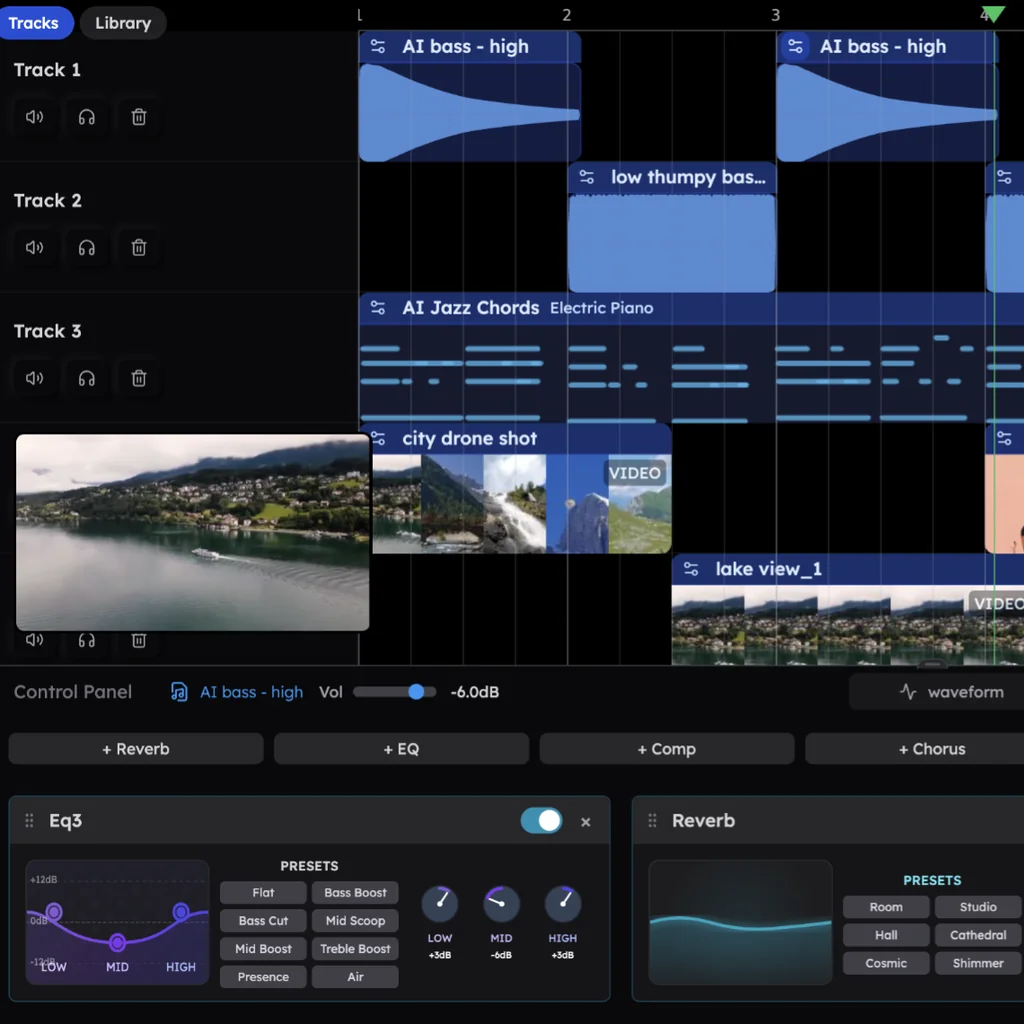
Your own audio is welcome too, and plenty of people start there: in Veena's own data, about 1 in 4 first requests refer to the person's own audio, such as a recording, a demo, a loop or a voice memo. CoProducer measures its tempo and phrasing and builds every new part around it. Split any track into vocals, drums, bass and other with the stem splitter, and the four stems land lined up on your timeline.
Udio vs Veena, limit by limit (September 2026)
| What you want to do | Veena | Udio |
|---|---|---|
| Download your song | Every plan, no cap | Disabled since 29 Oct 2025 |
| Download stems | Every track as stems, zipped | Disabled |
| Release it on Spotify, YouTube or TikTok | Yes: you own the Output you generate | Forbidden by the terms |
| Own it | Yes, on every plan | Udio or its licensors own the Output |
| Use it commercially | Yes | Personal, non-commercial use only |
| Change one part | Edit that track, in plain words or the piano roll | Every edit creates two new songs |
| Carry over unused credits | Veena Pro credits roll over while you stay subscribed | Subscription credits don't roll over |
| Make music on the free plan | The whole studio, with a daily CoProducer allowance | Three 130-second songs a day |
The short version
Udio can generate a song you can listen to on Udio. It cannot give you the file, the stems, the ownership or the right to release it, and it says so in its own terms. Veena gives you all of that, on the free plan, with a personal music producer who builds the song with you as real tracks. If you are ready to move, our Udio alternative guide walks through the switch, and the Suno alternative guide covers the rest of the generators. Or skip the reading and make a song with AI now.
Related reading: The best Udio alternative · Udio vs Veena · Udio's walled garden, explained · Veena vs Suno
Try this in Veena
Make an 86 BPM R&B song in B flat minor: laid-back drums with a deep kick, finger snaps and swung hi-hats, warm electric piano chords with ninths, a round sub bass and a soft synth pad, leaving room for my vocal. Intro 4 bars, verse 16, pre-chorus 4, chorus 8, verse 16, pre-chorus 4, chorus 8, outro 4.
Frequently asked questions
What can't Udio do?
By its own pages, Udio can't let you download your songs, stems or videos (disabled since 29 October 2025), release them on Spotify, YouTube or TikTok, own them, or use them commercially, and every edit regenerates two new songs. Veena, a free AI DAW with a personal music producer, lets you export every track, own it and change one part at a time.
Can you download songs from Udio in 2026?
No. Udio's CEO announced on 29 October 2025 that "downloads from the platform will be unavailable", and its terms say "You may not download copies of any Output". In Veena you export the full mix or every track as WAV 24-bit/48 kHz, MP3 320 kbps or MIDI, as often as you like, on the free plan, with no watermark on your exports.
Can I put Udio songs on Spotify or YouTube?
No. Udio's terms (revised 12 November 2025) forbid making Output available on any streaming or user-generated content platform, naming YouTube, Facebook, Instagram, TikTok, Spotify and SoundCloud, and Udio or its licensors own the Output. In Veena, you own the Output you generate on every plan, and you export it whenever you like.
Can Udio edit one part of a song?
Not on its own: Udio's help centre says every click of Create, Extend, Remix, Inpaint or Edit creates two new songs, and there are no stems or MIDI to download. In Veena, CoProducer writes every part as its own track, so you change the drums, the bass or one chord in plain words or in the piano roll, and one undo reverses any change.
Is there a free app that does what Udio can't?
Yes, Veena. Veena is an AI DAW with a personal music producer built in: describe a song and CoProducer builds it with you as real tracks you can edit, mix and export, free in your browser. You own what you make, split any track into 4 stems, and export WAV, MP3, MIDI and stems with no cap.
Meet your personal music producer
Free, in your browser. Describe the song you want and CoProducer builds it with you.
Make music free